
Skip to content

Legal support.
In person.

Client app selected

Request a licensed attorney to meet you.

Choose when and where to meet. Prepare your case with AI, review the full price, and keep every detail in Lawber.

Explore the client app

Accept requests from clients near you.

Review meeting requests and the client’s context. Keep case documents and conversations together, from acceptance to completion.

Explore the attorney app

AI helps organize your information. Your attorney provides legal advice.

How AI preparation works
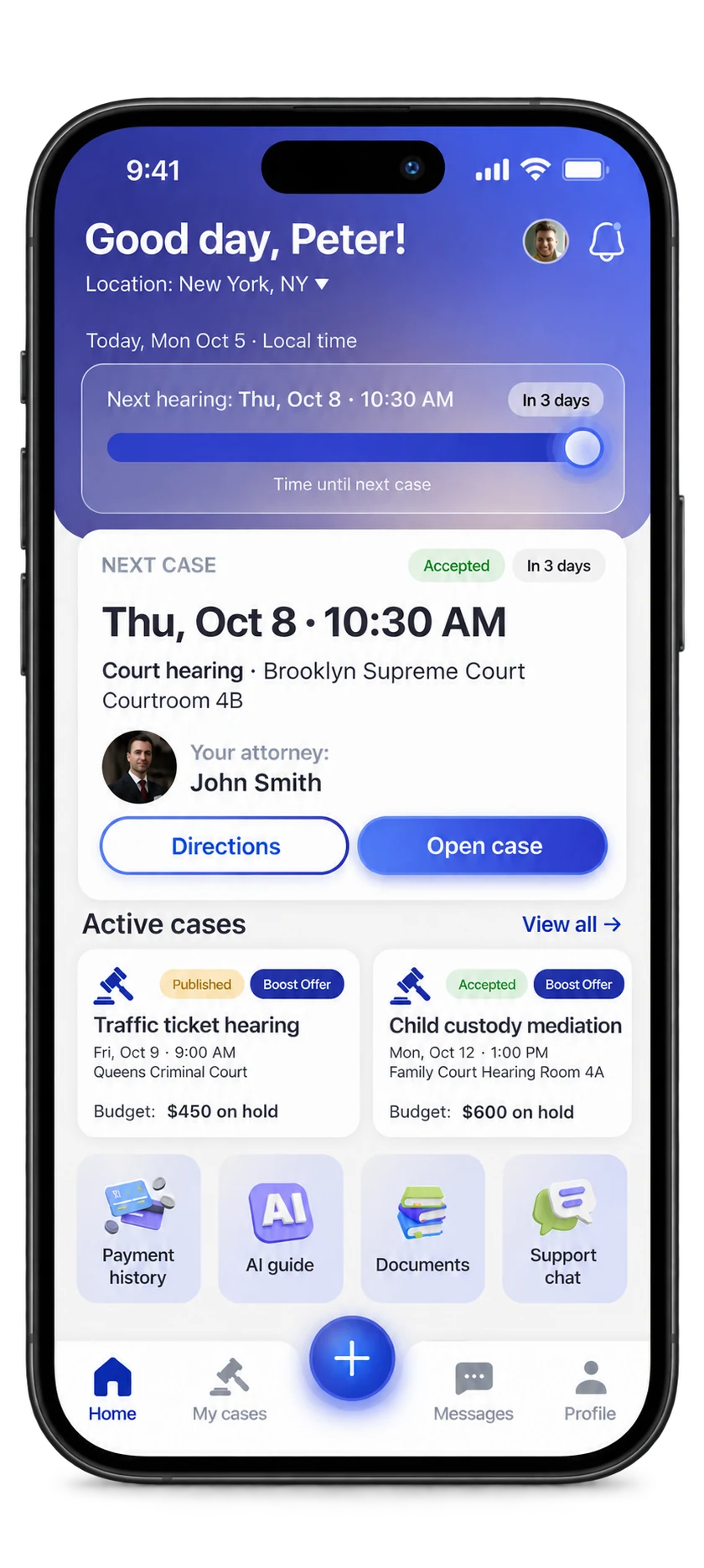
Lawber client app design on an iPhone: the home screen with the next hearing, the assigned attorney, directions and active cases. Example data.Client app
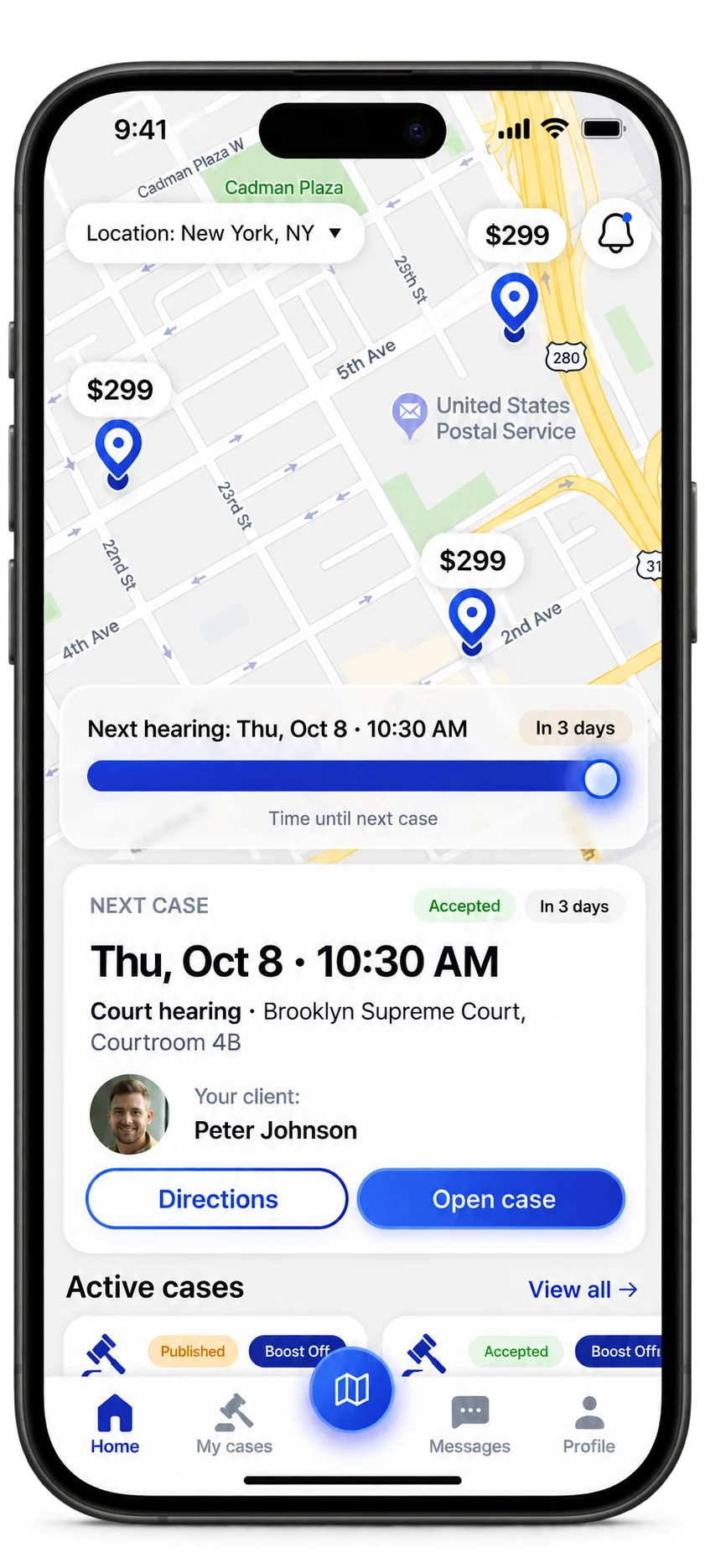
Lawber attorney app design on an iPhone: a map of nearby requests, the next hearing and the client’s case details. Example data.Attorney app

App designs · Example data

AI helps organize your information. Your attorney provides legal advice.

A little clarity.
At a big moment.

One straightforward way to request in-person legal support.

Real life.
Real support.

What do you need help with?

Traffic ticket
Accident or injury
Police or domestic dispute
One-time court representation
Landlord–tenant issue
Immigration issue
Family or custody issue
Work or pay issue
Something else
Start with your situation. We’ll take it from there.

Tell us what you need

Start with the situation. Add the details that will help an attorney understand your request.

App design previews. Illustrative data.

Illustrative scene of an attorney explaining a document to a client outside a civic building

Life happens in person.

So should
your support.

Where do you need to meet?

At a court

A hearing on your calendar.

Choose the date, courthouse and meeting point.

At a police station

Support when plans change.

Send an urgent request and set your latest arrival time.

At another meeting

A place that works for you.

Describe the matter and where you need to meet.

Places, matters and attorney availability depend on what’s offered in the app.

AI-assisted preparation

Your story.
A clearer starting point.

There’s a lot to explain. Start with what happened. Lawber helps put the details in order, so your attorney can start with the context.

  • Turn your description and supporting documents into a structured case brief.
  • Answer follow-up questions and review the summary before sharing it.
  • Keep your brief, documents and case conversations together.

AI helps you prepare. Your attorney provides the legal advice.
Always review AI summaries for accuracy.

See how a request works
Your words

“I have a hearing next Thursday. I’ve attached the notice and need an attorney to meet me there.”

Your case brief

Organized with AI · Reviewed by you

The situation
An upcoming court hearing.
What you need
An attorney to meet you in person.
Supporting documents
Hearing notice.pdf
Your context, ready for your attorney

An illustrative example. You stay in control of what you share.

Know the price.
Understand the payment.

Pay inside Lawber. Payments are handled by Stripe.

The payment details
  1. 01 / Confirm

    See the full total

    Review the price before placing your request. You choose whether to add a Boost later.

  2. 02 / Reserve

    A hold, not a charge

    Funds are reserved right away for urgent requests, or about 72 hours before a scheduled start.

  3. 03 / Pay

    After the service

    The charge normally happens at “Completed”. You can raise a dispute within 24 hours.

Cancellation, postponement and pre-consultation rules are explained below and in the Terms. Lawber doesn’t keep full card numbers.

For independent attorneys

Your expertise.
Closer to the people
who need it.

Make in-person requests part of your practice. You stay independent. Lawber helps with the rest.

Explore the attorney terms

A professional network.

Identity and license checks before accepting cases.

  • Your area

    See requests within the distance you set.

  • Your availability

    Choose whether to accept urgent requests.

  • Your work, together

    Keep the schedule, messages and case details in one app.

Questions

Something else? Email [email protected].

Where can I use Lawber?
Lawber is built for the United States. It works only for the places and types of matters shown in the app, and availability may differ between states. An attorney accepting a particular request isn’t guaranteed.
When is my card charged?
The total is first held on your card: right away for urgent requests, about 72 hours before a scheduled start. The charge normally happens when the attorney marks “Completed”. If the attorney never marks “Arrived”, nothing is charged, with one exception: if the court postponed the hearing after the attorney gave you a paid pre-consultation, you pay for that pre-consultation plus any applicable Lawber service fee as shown in the app, including any change from a Boost you confirmed. If the attorney arrived and the hearing was then postponed, or you didn’t come when your presence was agreed as required, the full price is charged, except for an ordered pre-consultation that didn’t take place.
Can I cancel?
Yes, at any time before the attorney marks “Arrived”, even after the scheduled time has started. Nothing is charged and the hold is released. If the court postpones your hearing before the attorney arrives, the request closes and a draft is created for the new date. Nothing is charged, unless the attorney already gave you a paid pre-consultation: then you pay only for that pre-consultation plus any applicable Lawber service fee as shown in the app, including any change from a Boost you confirmed.
What happens with an urgent request?
Once the card hold is in place, the request is shown to available attorneys. The app shows how long the search runs, and you can extend it by 15 minutes. You set the latest arrival time. If no one accepts, the request closes and the hold is released.
How do I contact support or delete my account?
Use Support chat in the app, the form at lawber.app/support, or email [email protected]. To delete your account, go to Settings in the app or to lawber.app/delete-account, no app needed.
Lawber

Your next step,
all in one app.

In-person legal support, with a clearer path from request to meeting.

Made for iPhone and Android.